

Page Object maintenance: moving trust one step earlier
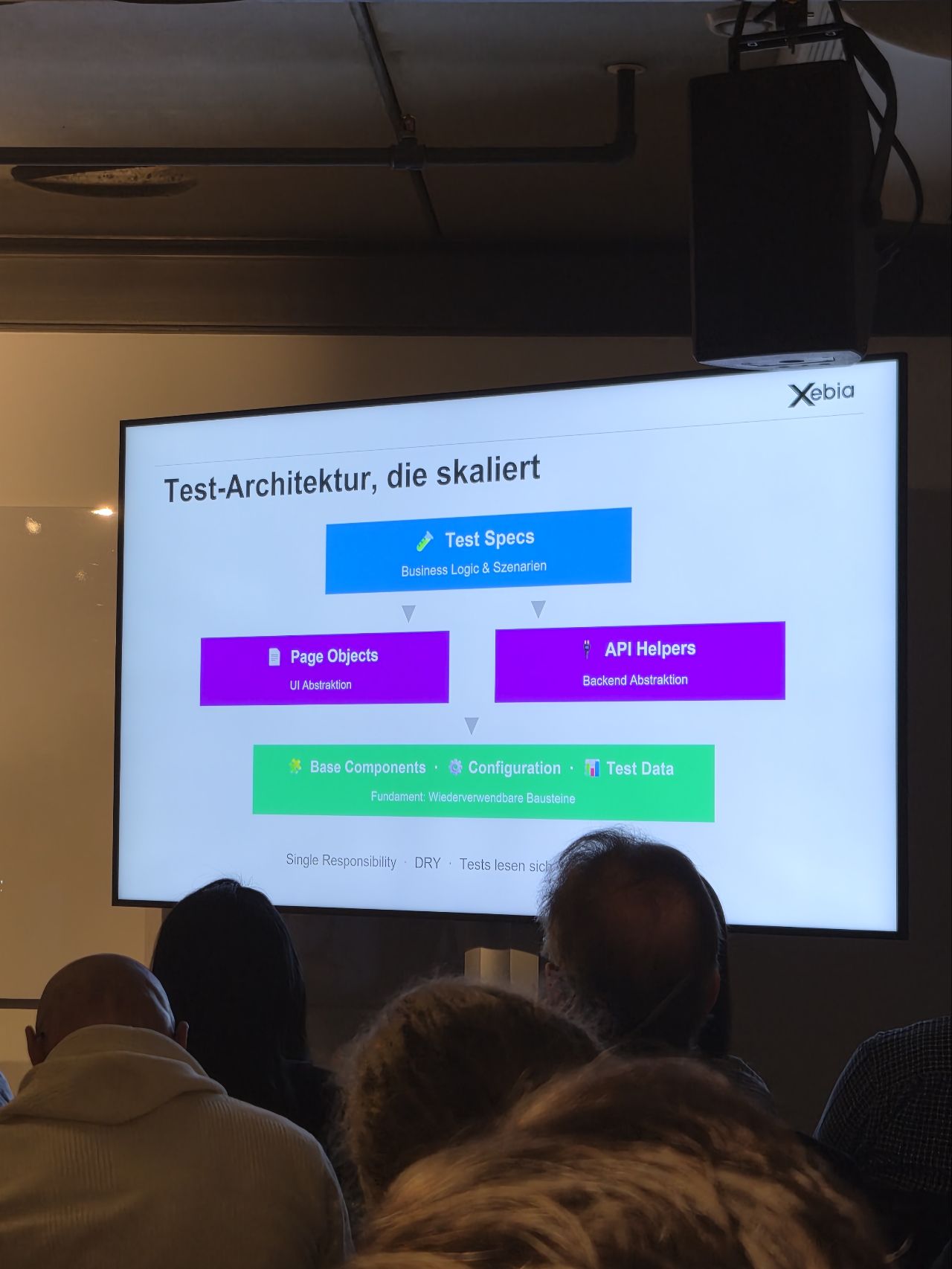
Page Object is one of the well-documented best practices in test automation: selectors and interactions encapsulated in a class per page, separation between business logic and tooling. Its maintenance, far less so. Yet that is where Page Objects drift and tests become inoperative — sometimes silently.
How a Page Object drifts
The cases that cause a Page Object to drift are many, and most are predictable: dynamically generated IDs, component refactors that change HTML structure, UI library migrations that rewrite attributes, renaming of a CSS class used as a selector.
None of these changes break the application for the end user. They do not trigger any alert on the production code side either. They make it through code review, through demos, through sprint planning. Nobody, anywhere in the chain, thinks of telling the QA team that such-and-such attribute is about to disappear.
The result: the Page Object selector still points somewhere, but not necessarily at the right element.
Discovering drift mid-campaign
Without an upstream check, drift is discovered during the functional campaign. The tests that depend on the broken selector fail one by one, the team spends time diagnosing what changed between the last stable run and this one. Meanwhile, the useful feedback on the application's quality is delayed, or simply absent for this run.
A failing test can be fixed. The cost lies in the timing of the discovery.
Moving trust one step earlier
The idea fits in one sentence: before launching the functional campaign, check that the controls targeted by the Page Object are present and locatable on the page. This check does not validate business logic, nor application behavior — otherwise it becomes a functional test. It validates one thing only: each Page Object selector finds the element it is supposed to find.
If all selectors resolve, the campaign can run with the guarantee that the tooling is aligned with the page. If a single one fails, the campaign is blocked and the selector to fix is identified before kickoff.
Keeping watchdogs short and focused considerably reduces surprises caused by changes to our elements.
The demo — test-playground and Playwright .NET
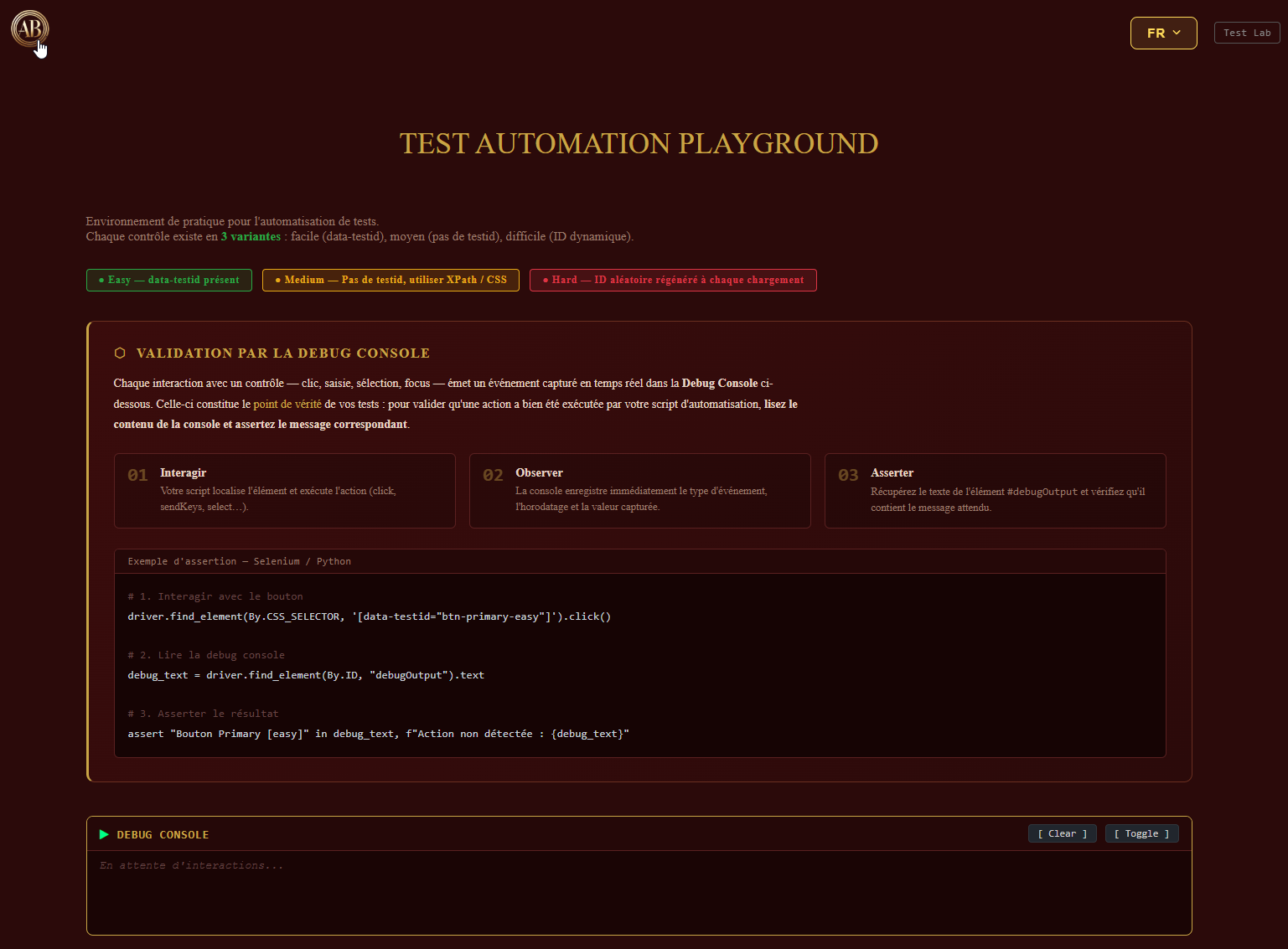
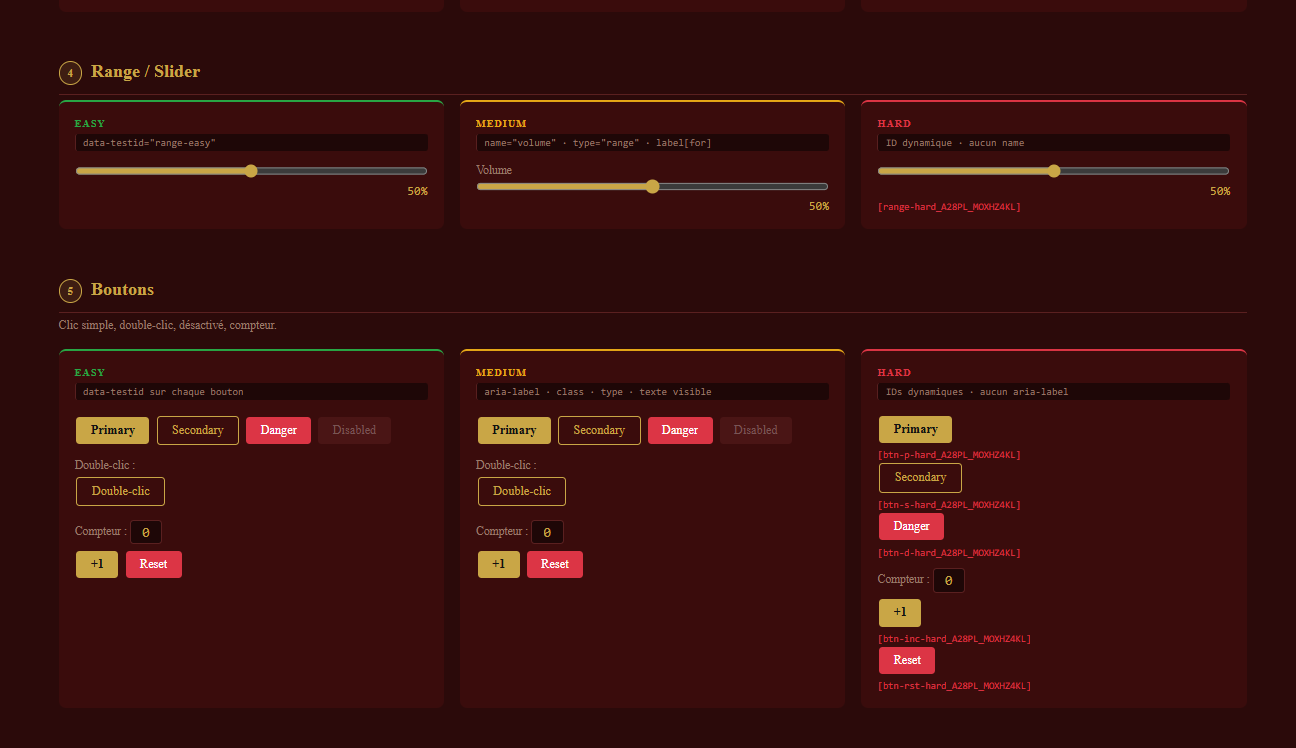
Built on Test Automation Playground, designed as a practice environment for automation. It exposes half a dozen common HTML controls — text field, email and password, slider, checkbox, button — in three variants side by side: Easy (stable data-testid), Medium (standard HTML attributes only), Hard (ID regenerated on every load, no stable name).
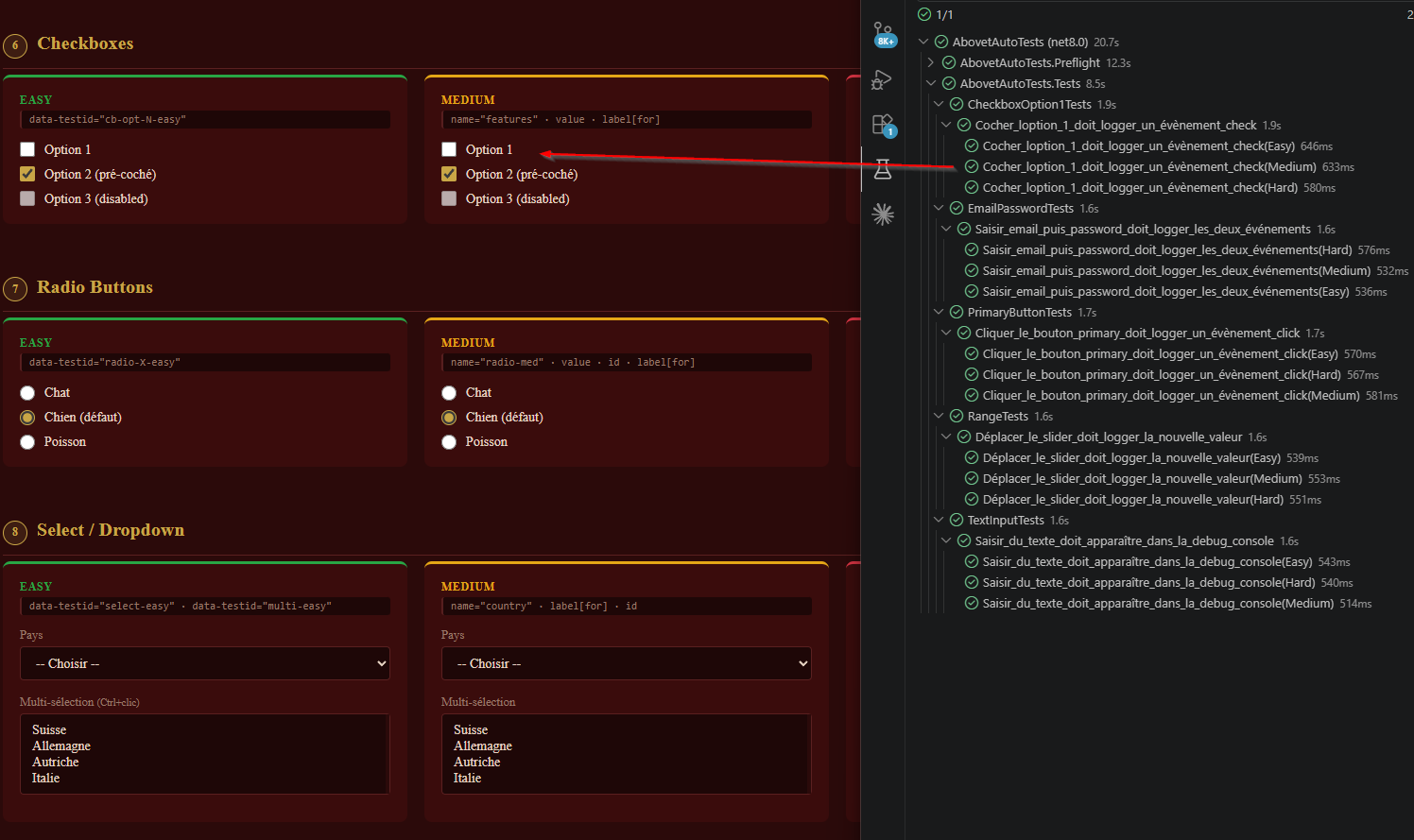
The implementation that follows uses Playwright with .NET NUnit and a single Page Object (the TestPlaygroundPage class, parameterized by variant). The principle carries over to any stack — Selenium, Cypress, Tosca, UiPath; what changes is the locator API, not the mechanics.
Fifteen tests for five controls across three variants. All pass: reference state, Page Objects aligned with the page.
The watchdog in practice
The watchdog is a separate suite, marked [Category("Watchdog")], that runs before the functional tests.
For each Page Object control, and for each variant (Easy, Medium, Hard), there is one thing to check: does the selector find the element? The lookup uses a short timeout — three seconds is enough; this is not testing for a page load, it is testing for existence. Going further (interacting, verifying the result) would amount to functional testing, which is not the watchdog's role.
If the element is found, the control is marked OK. Otherwise, KO with the cause: location timeout, or selector matching no element.
A test scenario — a selector that changes
To check how the watchdog reacts to drift, the "easy" suffix is removed from the data-testid of the first checkbox option on the page. The selector goes from cb-opt-1-easy to cb-opt-1-. From the user's side, nothing changes. From the Easy Page Object's side, the selector no longer points at anything.
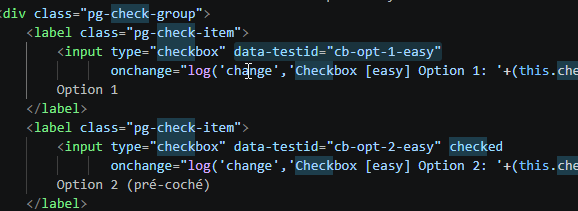
On the watchdog's next run:
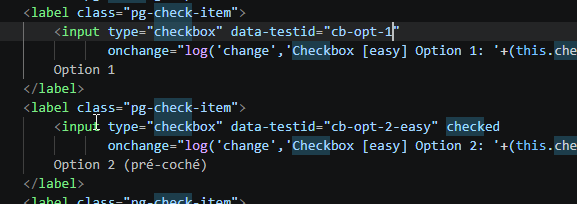
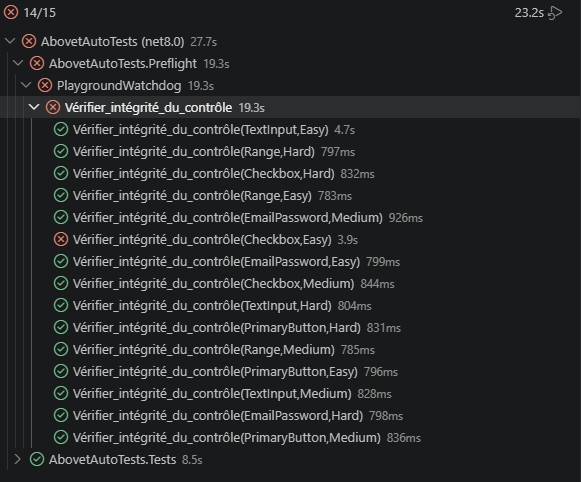
The (Checkbox, Easy) check turns red while the fourteen others stay green. The CSV report pinpoints the cause, and the functional campaign is blocked until the selector is brought back in line with the HTML.
On the very next watchdog run, it warns us that one of the components can no longer be found:
Conclusion
When the Page Object follows good practice — each control clearly identified as a component of the object — implementing the watchdog is straightforward: just iterate over the controls to check their presence. A fast, low-cost method that keeps the test catalog operational before every functional campaign.